What is REGENT X?
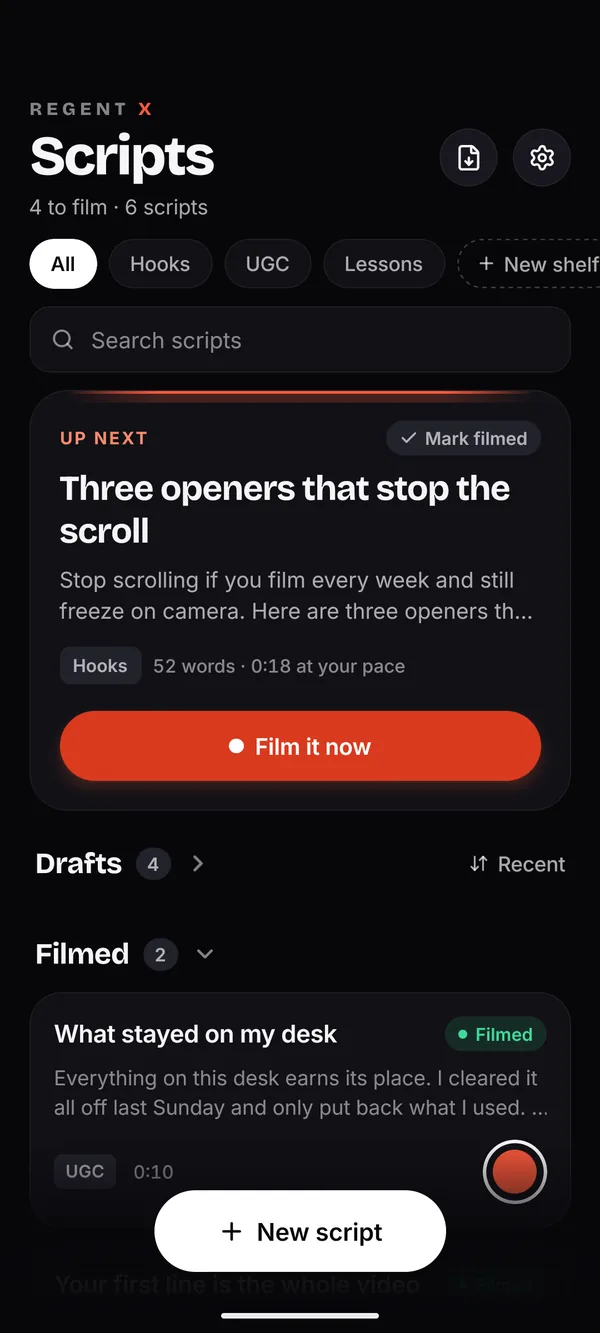
REGENT X is a teleprompter app for iPhone, made by Aeroswe LLC. Your script scrolls just under the front camera while you film, so you read every word and still look into the lens. It’s for people who film themselves talking, such as TikToks, Reels, Shorts, UGC and YouTube videos. It’s free to download, and REGENT X Pro is required after setup: $9.99 a month, or $39.99 a year with a 7-day free trial for eligible new subscribers.
Where do I download REGENT X?
From the App Store on your iPhone. Search for “REGENT X: Teleprompter”, or open apps.apple.com/app/id6803019938. It’s free to download, and REGENT X Pro is required after setup.
Is there a free version?
No. REGENT X is a subscription app: $9.99 a month, or $39.99 a year. The yearly plan starts with a 7-day free trial for eligible new subscribers. You’ll see both plans after a short setup the first time you open the app.
Is there a free trial?
Yes, on the yearly plan only: 7 days free for eligible new subscribers. The monthly plan has no trial.
Does it work on iPad or Android?
No. REGENT X is iPhone only, with iOS 16.4 or later, held upright. It isn’t built for iPad, it isn’t on Google Play, and there’s no Mac or web version. Our legal pages mention Android, but no Android version has been released.
Does it work for TikTok, Reels and Shorts?
Yes. It films upright at 1080p, and you can turn on safe zones to shade where TikTok, Reels and Shorts put their buttons and captions. You post from the app you use.
Will my video have a watermark, or show the script?
No. REGENT X adds no watermark. The script, grid and safe zones stay out of the recording.
Does REGENT X follow my voice?
Yes, in English, and it needs no account. Turn on Voice and the script moves as you read aloud. It holds through a pause of up to 15 seconds, then scrolls on at your set pace and finds your place when you speak again. It uses Apple’s speech recognition.
Does Voice Follow work offline?
Don’t count on it. Voice Follow uses Apple’s speech recognition, which may need an internet connection and may process your audio and key words from your script on Apple’s servers. It works in English.
When you’re offline, or you’d rather not use it, set a pace instead. The script scrolls on its own, with no speech recognition at all.
Which languages does it work in?
The app is in English, and Voice Follow listens in English only. With Voice off, the script scrolls at the pace you set and no speech recognition runs.
What can I import?
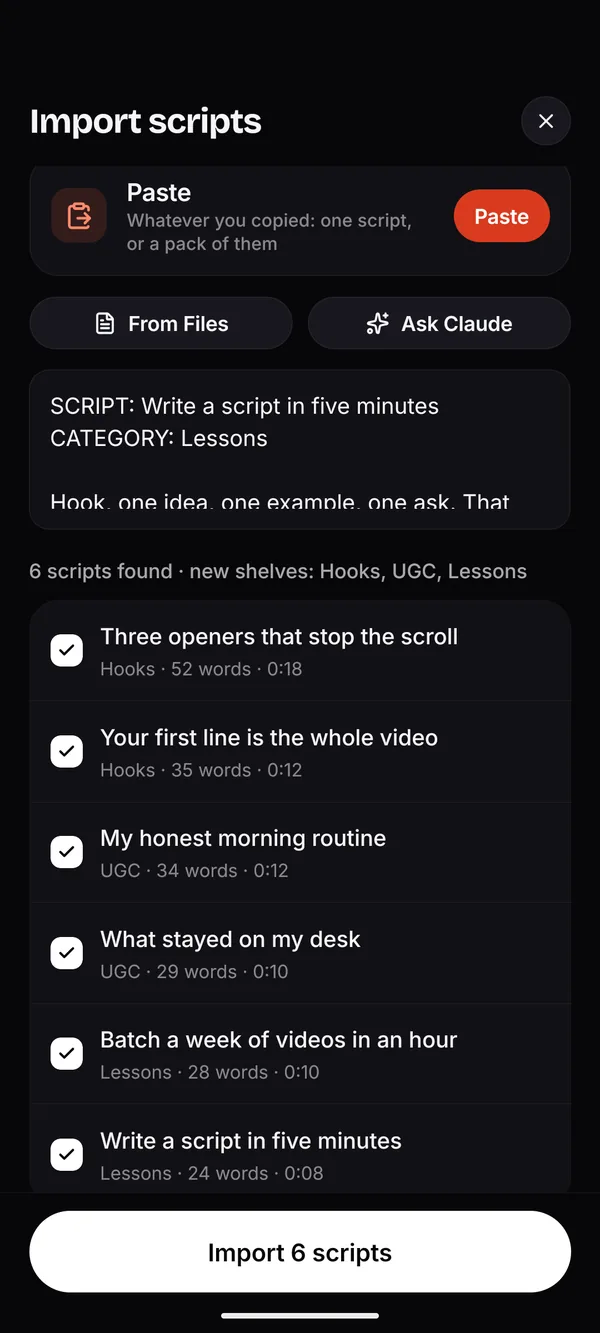
Paste one script, or a labelled pack of up to 500. From Files: Word (.docx), OpenDocument, RTF, HTML, Markdown, JSON, plain text, or a PDF with selectable text. You can also pick REGENT X in another app’s share sheet. It can’t read scanned PDFs, Pages files or old .doc files, and a link on its own has no words to import.
Can REGENT X write scripts for me?
REGENT X has no AI of its own. Have Claude write them, in Import, gives you a prompt to copy into your own Claude account. Ask for scripts there, then share or paste the answer back. Claude is a separate service run by Anthropic, and REGENT X sends it nothing.
Can it edit videos or add captions?
No. There’s no trimming, editing or captions. Takes save to Photos by default, and you cut them in whatever you already use.
Can I use a remote or Apple Watch?
No. REGENT X has no remote or Apple Watch control. You start and stop takes on the phone.
How long can a take be?
Up to 15 minutes. A take stops by itself at that point, and every take is kept until you delete it.
Do I need an account?
No. There’s no sign-up, login or password. The app makes a random member ID on your iPhone so it can tell whether you’re subscribed.
Do you see my scripts or videos?
No. Your scripts and takes stay on your iPhone, and in your iPhone backup, until you share them. We never receive them. A few service providers get limited data to run subscriptions, the subscription screen and app updates, and the Privacy Policy lists every one.
How do I cancel?
On your iPhone, open Settings, tap your name, then Subscriptions, then REGENT X, then Cancel Subscription. Cancel at least 24 hours before the current period or the free trial ends to avoid the next charge. You keep Pro until the end of the period you paid for. Deleting the app doesn’t cancel your subscription.
Can I get a refund?
Apple handles payments and refunds for the App Store. You can ask Apple for a refund at reportaproblem.apple.com. Our Support page has Apple’s guide.
Can I use one subscription on two iPhones?
Your subscription belongs to your Apple Account. On another iPhone signed in to the same Apple Account, open REGENT X and tap Restore. Scripts don’t sync between phones, because there’s no REGENT X cloud.
I have an offer code. Where do I use it?
In the app, tap Redeem a code on the subscription screen, and Apple’s own code sheet opens. You can also redeem it in the App Store: tap your profile picture, then Redeem Gift Card or Code. More on offer codes.
How do I delete my data?
There’s no account to delete. In REGENT X, tap Contact support (in Settings, or on the screen that says “Your studio is ready.”), change the subject to “Delete my data” and send it. The email already includes your member ID, so we can delete what our providers hold and confirm. Full steps to delete your data.
Does REGENT X post my videos for me?
No. Takes save to Photos by default, and you post them from whichever app you use, or send them anywhere with the share sheet.